

Copilot is currently in beta. It only makes changes when you explicitly ask it to, so you always stay in control of your workspace.
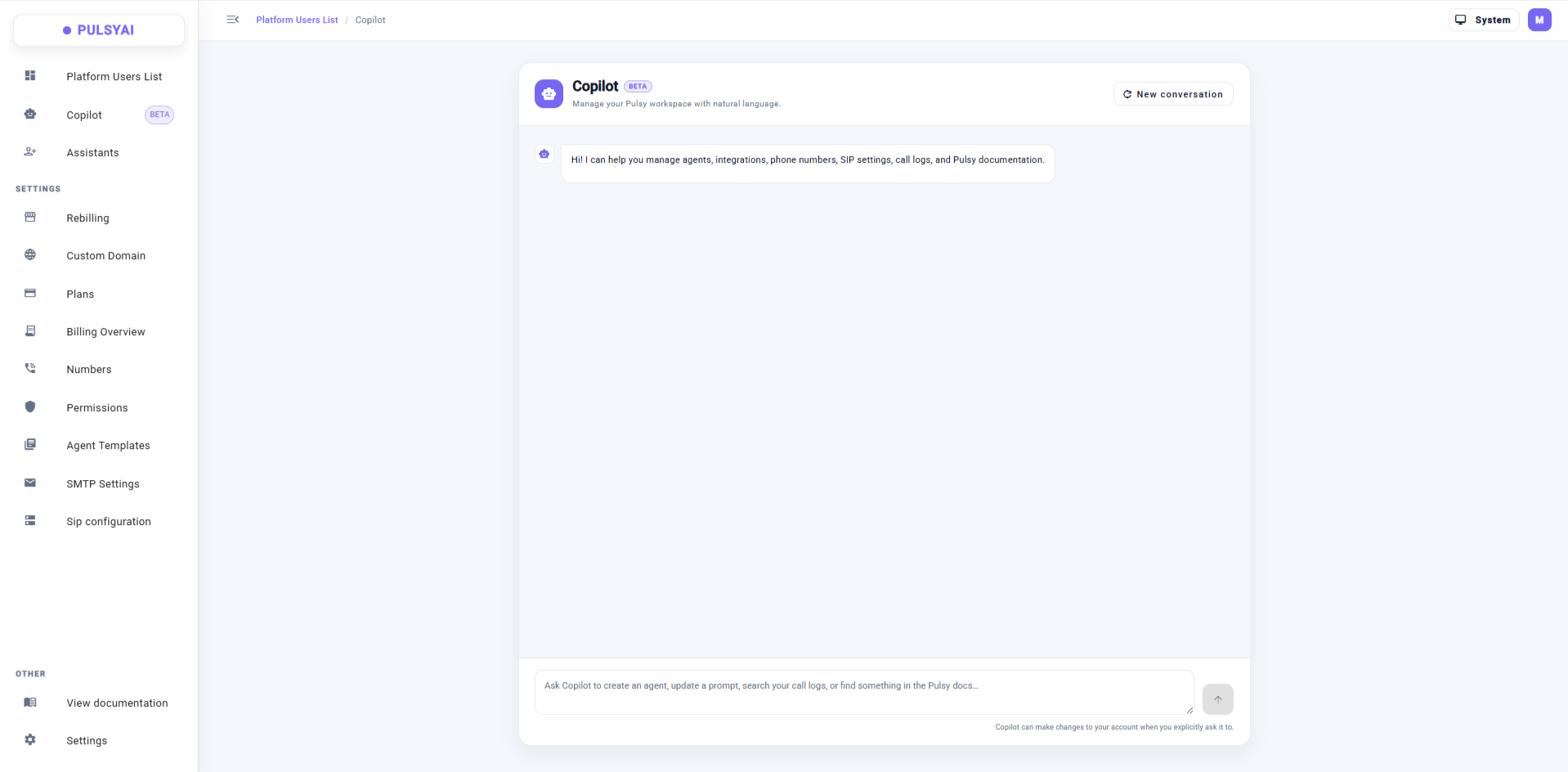
Copilot — an in-platform AI assistant that manages your PulsyAI workspace using natural language.
What Copilot can do
Copilot works across your workspace and can help you:- Manage agents — create an agent or update an existing prompt.
- Generate scripts — draft and refine your agent’s script directly inside the platform.
- Manage integrations — set up and adjust the tools your agents use.
- Manage phone numbers and SIP settings — handle number assignment and telephony configuration.
- Look up call logs — find and review past calls.
- Search the documentation — ask a question and get an answer from the PulsyAI docs.
How it works
You ask Copilot in plain English, and it takes care of the task. A few examples:- “Create an inbound agent for a dental clinic.”
- “Update the greeting in my restaurant agent’s prompt.”
- “Show me yesterday’s call logs.”
- “How do I set up a Cal.com integration?”
Getting started
1
Open Copilot in your workspace
Copilot is available inside your PulsyAI workspace.
2
Describe what you want
Type your request in plain English — creating an agent, updating a prompt, looking up a call, or asking a documentation question.
3
Review and confirm
Copilot only applies changes you explicitly ask for, so you can review before anything is committed.
Copilot is our first step toward a done-for-you experience inside PulsyAI. We’re actively improving it, and its capabilities will keep expanding.
Next step
Build a Script
Learn the PulsyAI methodology for writing scripts that convert.
Agent settings
Fine-tune voice, language, model, and behavior for your agents.